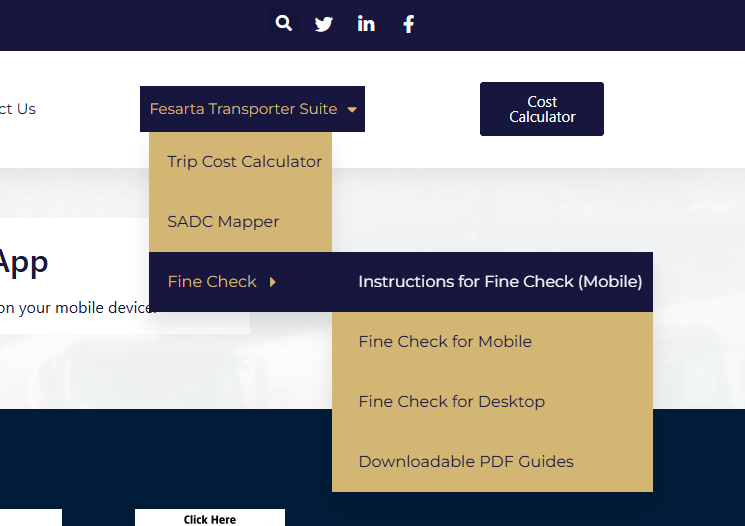
Click on the Fine Check for Mobile option on the menu.
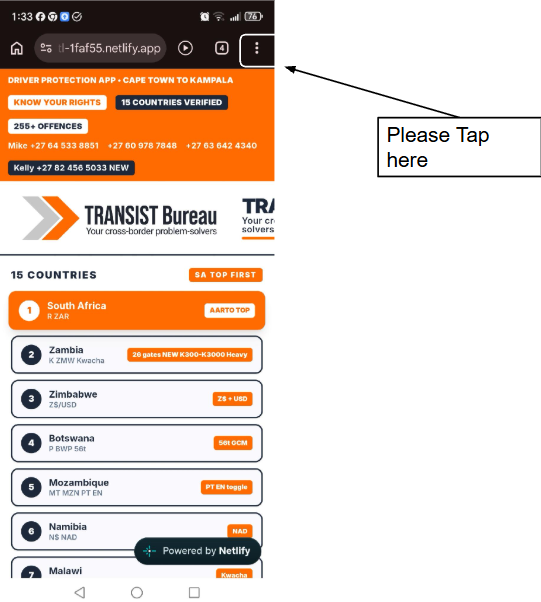
2. Fine Check window will open on your screen.
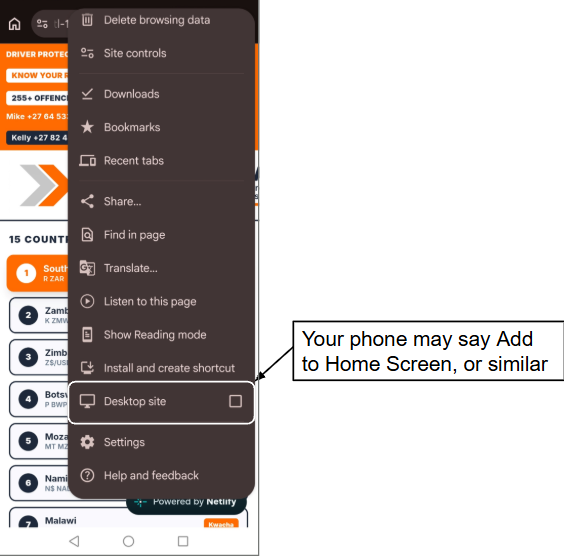
3. At the bottom right of the screen (or on the top – depending on your phone model) there are 3 vertical dots, select the dots and a new window will open.
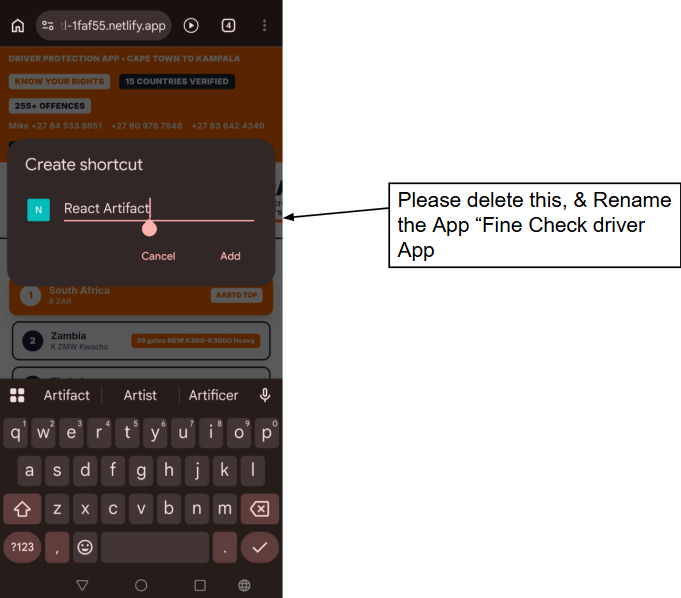
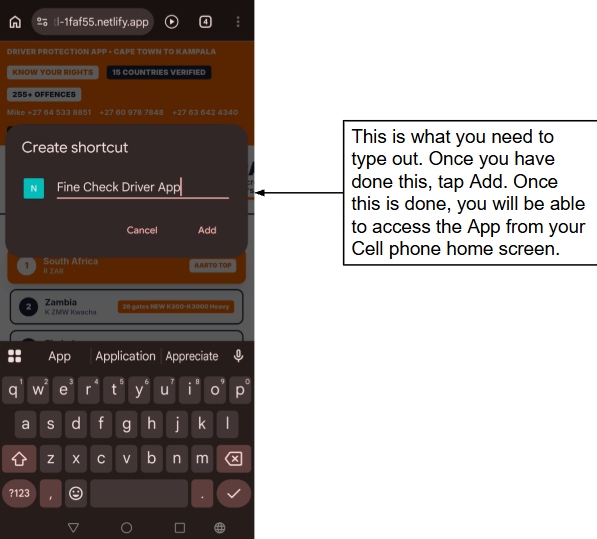
4. Select Add Page and then Home Screen, a new window will open displaying a small plain coloured icon and next to it is the words – React Artifact.
5. Delete the text and type Fine Check App and click on Add. The icon will now appear on you home screen ready for use. Just click on the red tab that reads “Open Fine Check” and it will direct you to the Fine Check App landing page.